1 Lab participation overview
These are the steps that every data-collecting lab must follow to participate in MB5. This is just an OVERVIEW of the process. More detail for each step is available in the linked sections.
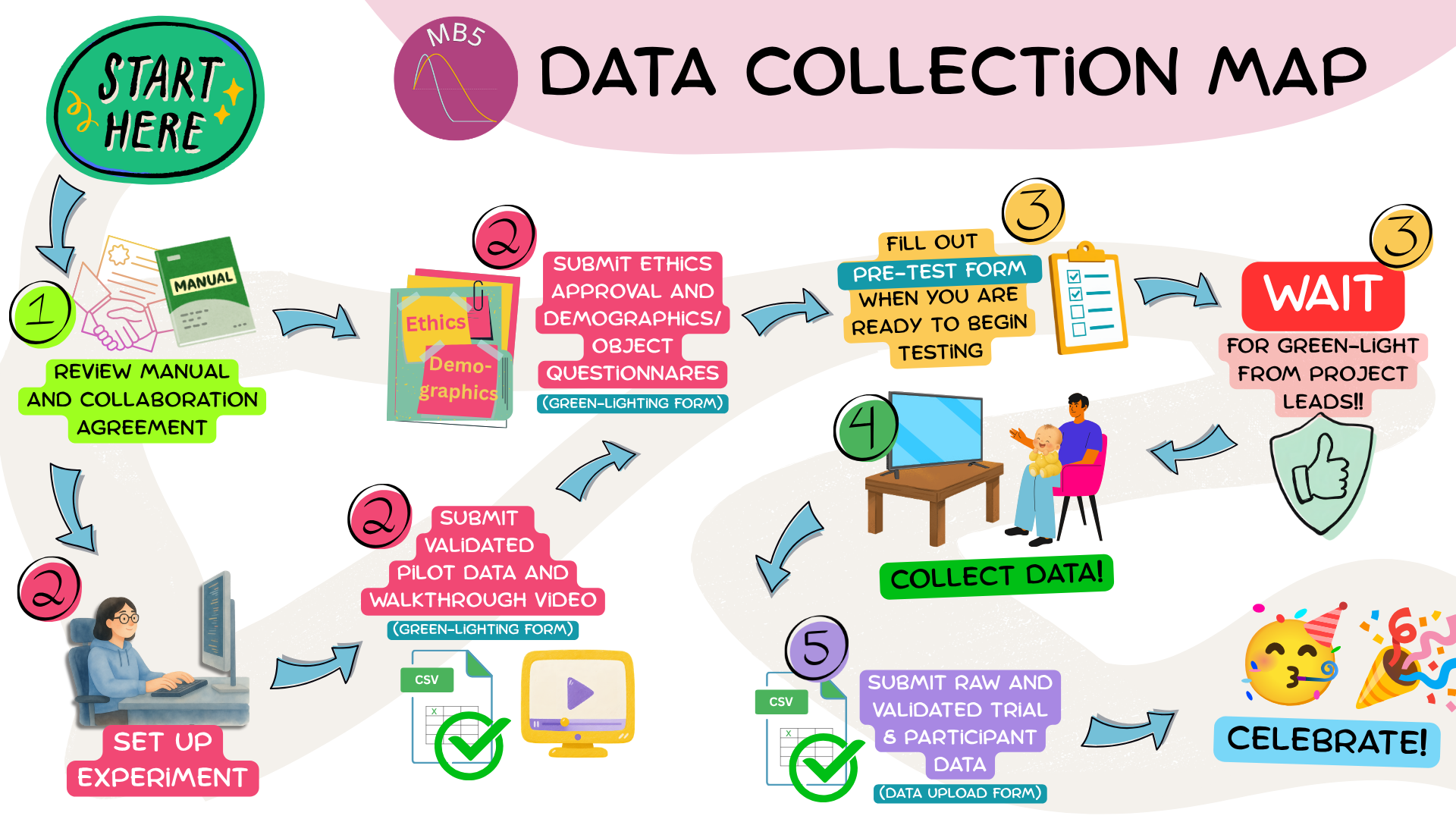
BEFORE you do ANYTHING else:
- Read this manual start to finish, including the MB5 Collaboration Agreement
- Review the ManyBabies General Manual, especially the ManyBabies Code of Conduct and information regarding ethical research, authorship, data sharing, and data use
- BY PARTICIPATING IN THIS PROJECT, YOU AGREE TO ABIDE BY THE TERMS OUTLINED IN THESE DOCUMENTS
- Complete the MB5 Sign-Up Form
PREPARE study materials (Getting Started, Setting up the Experiment)
- Submit the versions of the demographics questionnaire (see Chapter 7) and object experience questionnaire (see Chapter 8) your lab will be using, your lab’s ethics approval (see Chapter 9), and any other relevant documentation/materials
- Set up the experiment in consultation with this lab manual
- Create and submit your walkthrough video (see Chapter 10)
- Run pilot data through the ManyBabies Data Validator and submit (see Chapter 15)
SIGNAL to Project Leads that you are ready to begin testing
- Fill out the MB5 Pre-Test Form to provide final testing information and let Project Leads know that you are ready for “Green-Lighting”
WAIT!
DO NOT BEGIN DATA COLLECTION (other than piloting) until your lab has been explicitly given the “Green-Light” to do so by the Project Leads.
Data collected prior to “Green-Lighting” WILL NOT be included in analyses.
COLLECT DATA:
- ONLY AFTER YOUR LAB HAS BEEN GIVEN A “GREEN-LIGHT”: Collect your data following the guidelines in the Running the experiment section
SUBMIT DATA:
- Compile your participant and trial data files in consultation with data reporting guidelines (see Chapter 20 and Chapter 21)
- Verify your data files using the ManyBabies Data Validator (see Chapter 15)
- Submit your data using the MB5 Data Upload Form (see Chapter 22)
- Report individual contributions using the MB Contribution Reporting Form